| ||||||||||||
| Products . Firewall . Online Help . Packet Window | Sign In | ||||||||||
|
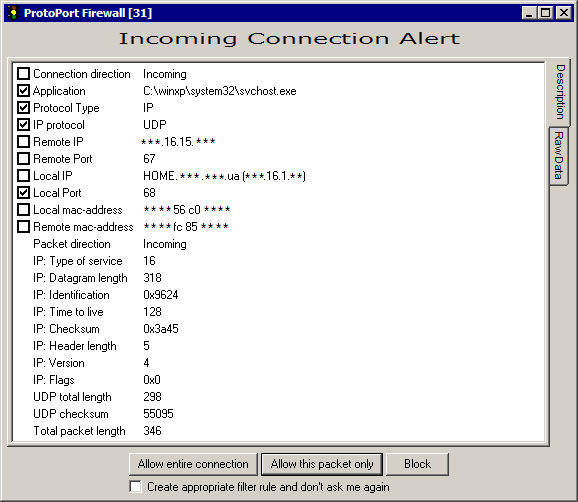
Packet Window - Description
* Please note: some information on screenshot is hidden with asterisks for security means. You will see entire information even in unregistered version of Firewall. Tabs: description • raw data This window appears when firewall has got a network packet, that does not match any rule, and learning mode is enabled.Window Controls
| ||||||||||||
| mobile version | Copyright © 1999-2026 SoftCab, Inc. All Rights Reserved · | |||||||||||