| ||||||||||||
| Products . Firewall . Online Help . Packet Log | Sign In | ||||||||||
|
Packet Log
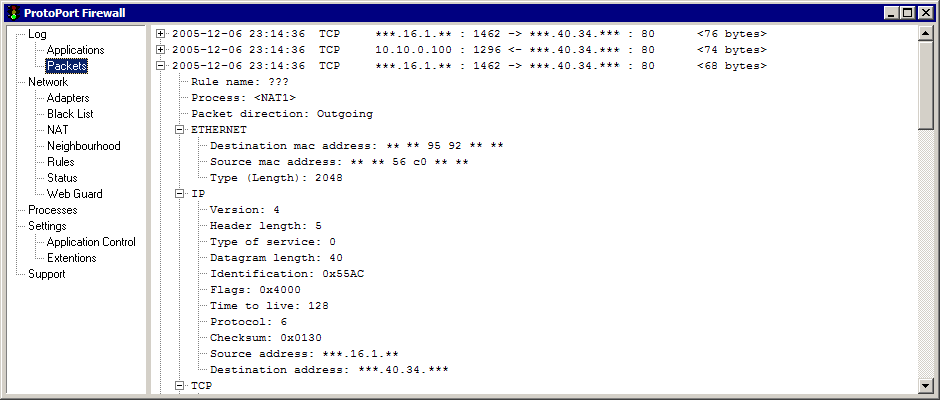
* Please note: some information on screenshot is hidden with asterisks for security means. You will see entire information even in unregistered version of Firewall. Personal Firewall can store some network packets, and show them up in Packet Log window. Packets are stored on hard drive permanently, so they will stay in list until user decides to delete them. User must enable log packet checkbox within Rule acion editor in order to log packets. Packets are represented as a tree leafs. User can easily check packet information (protocol, port numbets, protoco-specific data etc) as well as see entire packet as a hexadecimal table. Popup menu:
| ||||||||||||
| mobile version | Copyright © 1999-2026 SoftCab, Inc. All Rights Reserved · | |||||||||||