| ||||||||||||
| Products . Firewall . Online Help . Application Control | Sign In | ||||||||||
|
Application Control
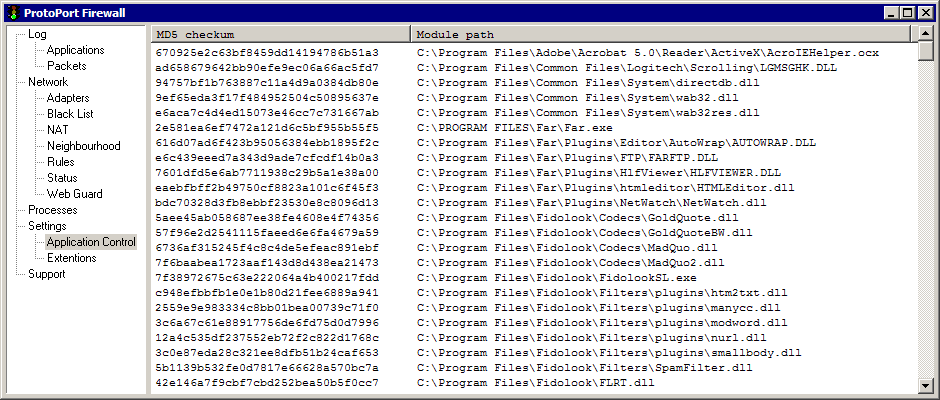
Application Control tab shows MD5 chechsum of loaded modules. Every time application attempts to connect to the network resources, Personal Firewall will compute and compare application MD5 checksum, as well as MD5 checksum of all application's loaded modules. Program will popup warning window, if checksum does not match. User will be able to allow application to use notwork resources, or deny it. Popup Menu - select Delete All menu item in order to delete application MD5 checksums, and start collering checksums from the very beginning. | ||||||||||||
| mobile version | Copyright © 1999-2026 SoftCab, Inc. All Rights Reserved · | |||||||||||